
App Store Shortcut
Arum Communications
Jul 4, 2020
8.52 MB
1.9.0
5.0
1,000,000+

Description
You may want to get to the page for a specific application on Google Play Store.
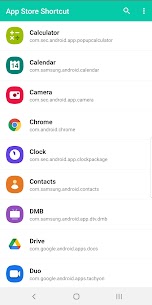
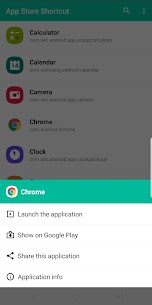
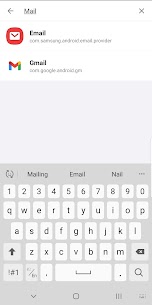
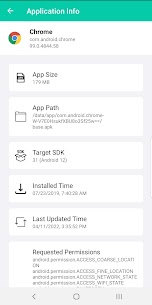
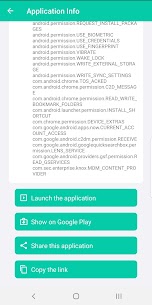
This application gathers a list of installed applications and provides a shortcut of each application to open on Google Play Store. It also behaves like a launcher application. You can easily find an application you want to execute via keyword search and execute the application. Another feature is that you can share a link of an application on Google Play Store to your friends. The last feature is application information. The application information page shows you how much of space the application takes up, installed path, target SDK version, installed time, last updated time and required permissions.
Supported features
‣ Launch an application
‣ Shortcuts of the Google Play Store for installed applications
‣ Share a link for an application
‣ Application information
What's new
Android 15 compatible
Images
Download links
How to install App Store Shortcut?
1. Download the ZIP file.
2. Install the Split APKs Installer application
3. Open the application and click on "Install APKs".
4. Find the folder where the downloaded ZIP is located and select it.
5. Follow the steps that appear on the screen.


